Electronics Product Photography for Amazon Listings
Electronics on Amazon is one of the most competitive categories you will ever photograph for. Buyers are spending real money on items they cannot touch, and they are comparing your listing against dozens of others in the same search results. Your images have maybe two seconds to convince someone to click, and then another ten seconds to keep them on your page. Getting this right matters more than almost anything else in your listing.
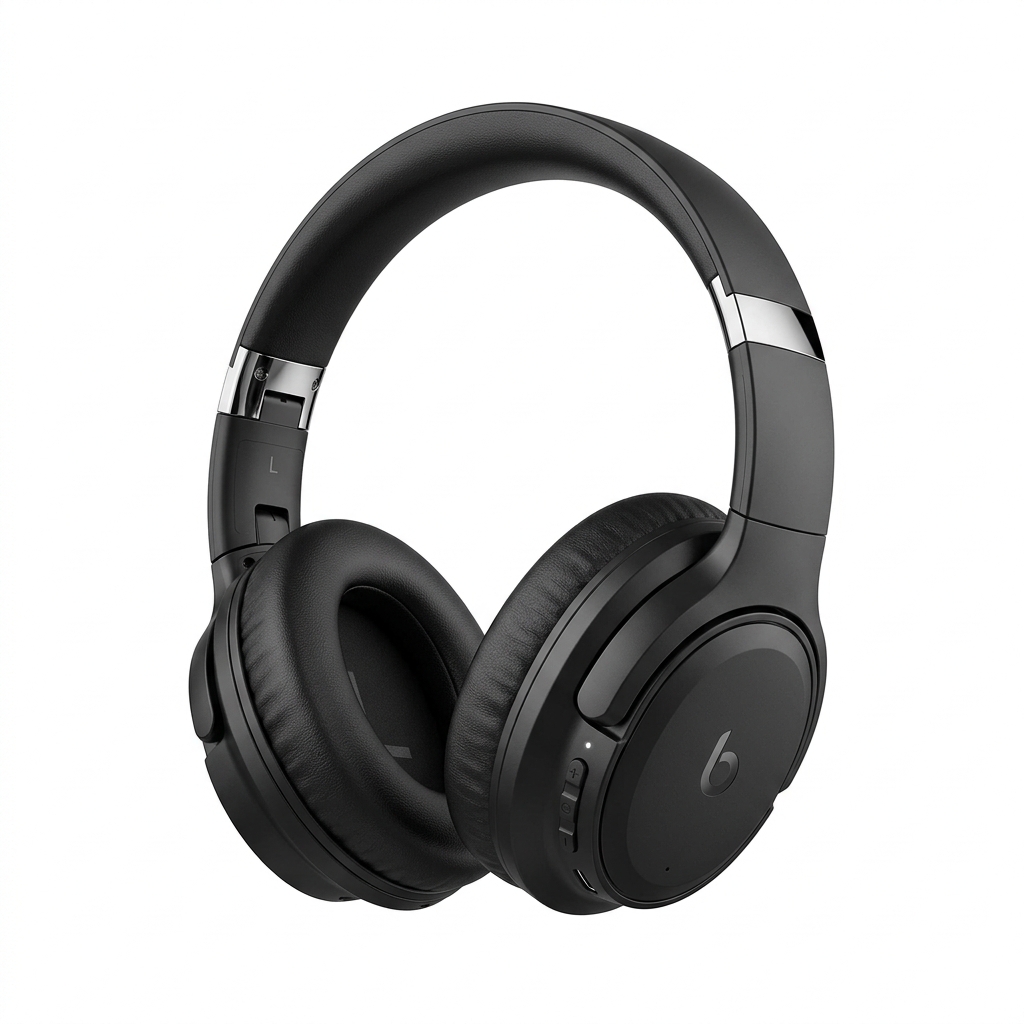
The core challenge with electronics is that most products look similar out of the box. A black rectangle with a screen, a pair of earbuds, a router with antennas. The photography has to do the heavy lifting to communicate value, differentiation, and quality all at once. That means thinking beyond just a clean shot on a white background, though that matters too.
Amazon requires your main image to have a pure white background (RGB 255, 255, 255) with the product filling at least 85% of the frame. For electronics, this is where most sellers already fall short. Dark-colored devices photograph poorly against white backgrounds when shot carelessly, resulting in flat, low-contrast images that look cheap. You need proper lighting setups, often a three-point light with a fill card and a background light to separate the product from the white, to make a black laptop or dark speaker look premium rather than muddy.
Beyond the main image, your secondary images need to work as a complete sales argument. Show the product in use. Show ports and connections. Show what is in the box. Show size comparisons with everyday objects so buyers understand the physical footprint. Electronics buyers are detail-oriented, and a zoomed-in shot of a USB-C port or a control panel can answer the questions that would otherwise send them to a competitor's listing.
One area most sellers neglect is lifestyle context. Showing a speaker in a living room, headphones on a commuter, or a security camera mounted on a front porch answers the question buyers are silently asking: does this fit my life? Pair that with infographic overlays that call out key specs and features, and you have a set of images that sells even without the buyer reading a single bullet point.
Example Images

Common Mistakes
Shooting dark electronics against a plain white background without proper lighting separation
Black and dark gray products absorb light and blend into shadows. Without a dedicated background light and fill cards, the product looks flat, muddy, and cheap. This is the single most common reason electronics listings look amateur even when the product is high quality.
Use a three-point lighting setup: a key light at roughly 45 degrees, a fill card or light on the opposite side to lift the shadows, and a separate light aimed at the background to push it to true white. A light tent can help for smaller items, but for larger electronics you need open studio lighting with manual control. Shoot tethered to a monitor so you can actually see what the camera is capturing rather than guessing.
Using the manufacturer's press images as primary listing photos
This seems like an easy shortcut, but manufacturer images are rarely optimized for Amazon's specific requirements. They are often shot at the wrong aspect ratio, contain logos or branded backgrounds that violate Amazon's image policies, or are sized too small to allow proper zoom. Worse, every other seller of the same product is using the identical images, so you look like a commodity seller with no differentiation.
Shoot your own images even if the product is a resell. Own the photography. If you genuinely cannot photograph it yourself, hire a product photographer for a half-day shoot. Your unique images give you a listing that stands out in search results and signals to buyers that you are a serious seller who stands behind what you sell.
Skipping scale reference shots
Electronics vary wildly in size, and buyers make purchasing mistakes when they cannot gauge physical dimensions from images alone. A portable speaker that looks desk-sized in photos but arrives small enough to fit in a shirt pocket creates immediate disappointment and return requests, even if the product is good.
Include at least one image that shows the product next to a recognizable object, a hand, a coffee mug, a standard laptop keyboard. Keep it clean and on-brand rather than cluttered, but make the size relationship obvious. Pair this with a dimension callout graphic that overlays the actual measurements directly on the product image.
Ignoring the packaging and in-box contents shot
Electronics buyers are frequently gift purchasers or buyers who need to know exactly what accessories are included. Missing a charging cable or adapter is a deal-breaker for many. When there is no box contents image, buyers either assume the worst or move on to a listing that shows them what they are getting.
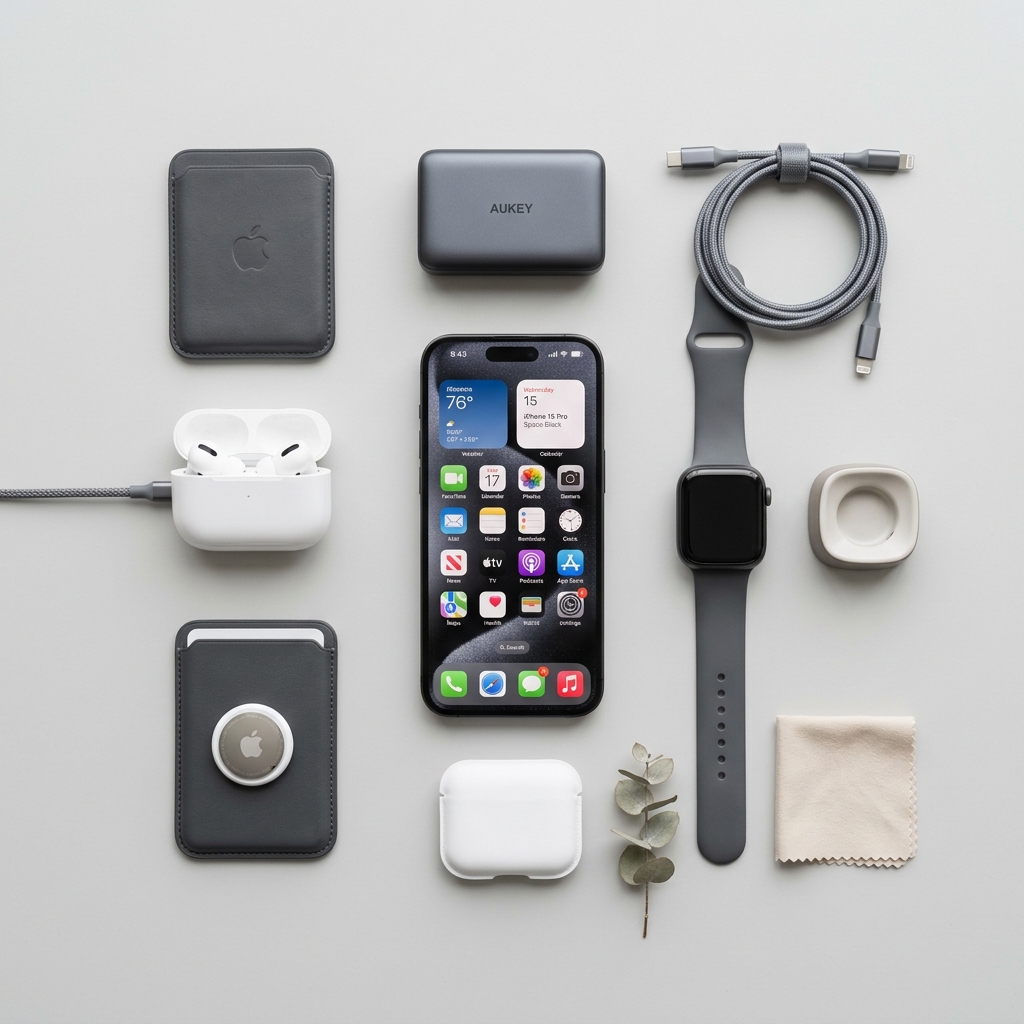
Lay out every item that ships in the box in a clean flat lay arrangement on a white background. Label each component clearly with a simple text callout. This image answers a high-frequency buyer question before it becomes a review complaint or a return.
Frequently Asked Questions
What happens if you shooting dark electronics against a plain white background without proper lighting separation?
Black and dark gray products absorb light and blend into shadows. Without a dedicated background light and fill cards, the product looks flat, muddy, and cheap. This is the single most common reason electronics listings look amateur even when the product is high quality. Use a three-point lighting setup: a key light at roughly 45 degrees, a fill card or light on the opposite side to lift the shadows, and a separate light aimed at the background to push it to true white. A light tent can help for smaller items, but for larger electronics you need open studio lighting with manual control. Shoot tethered to a monitor so you can actually see what the camera is capturing rather than guessing.
What happens if you using the manufacturer's press images as primary listing photos?
This seems like an easy shortcut, but manufacturer images are rarely optimized for Amazon's specific requirements. They are often shot at the wrong aspect ratio, contain logos or branded backgrounds that violate Amazon's image policies, or are sized too small to allow proper zoom. Worse, every other seller of the same product is using the identical images, so you look like a commodity seller with no differentiation. Shoot your own images even if the product is a resell. Own the photography. If you genuinely cannot photograph it yourself, hire a product photographer for a half-day shoot. Your unique images give you a listing that stands out in search results and signals to buyers that you are a serious seller who stands behind what you sell.
What happens if you skipping scale reference shots?
Electronics vary wildly in size, and buyers make purchasing mistakes when they cannot gauge physical dimensions from images alone. A portable speaker that looks desk-sized in photos but arrives small enough to fit in a shirt pocket creates immediate disappointment and return requests, even if the product is good. Include at least one image that shows the product next to a recognizable object, a hand, a coffee mug, a standard laptop keyboard. Keep it clean and on-brand rather than cluttered, but make the size relationship obvious. Pair this with a dimension callout graphic that overlays the actual measurements directly on the product image.
What happens if you ignoring the packaging and in-box contents shot?
Electronics buyers are frequently gift purchasers or buyers who need to know exactly what accessories are included. Missing a charging cable or adapter is a deal-breaker for many. When there is no box contents image, buyers either assume the worst or move on to a listing that shows them what they are getting. Lay out every item that ships in the box in a clean flat lay arrangement on a white background. Label each component clearly with a simple text callout. This image answers a high-frequency buyer question before it becomes a review complaint or a return.
Electronics on other platforms
Skip the trial and error
Get Amazon-ready Electronics photos without the guesswork
Upload one product photo. ProductScene generates a complete Amazon gallery — every image slot, correctly sized, styled for the platform.
Try free