How to Take Pictures of Outdoor & Camping Products for eBay
Outdoor and camping gear is awkward to photograph for eBay because so much of it changes shape. A tent is a small stuff sack in the box and a 7-foot structure in use, a sleeping pad is a roll or a flat slab depending on whether it holds air, and a backpack looks completely different empty versus loaded. Buyers want to see both states, and they especially want proof that used gear still works: poles that aren't cracked, seam tape that isn't peeling, zippers that still track, down that still lofts.
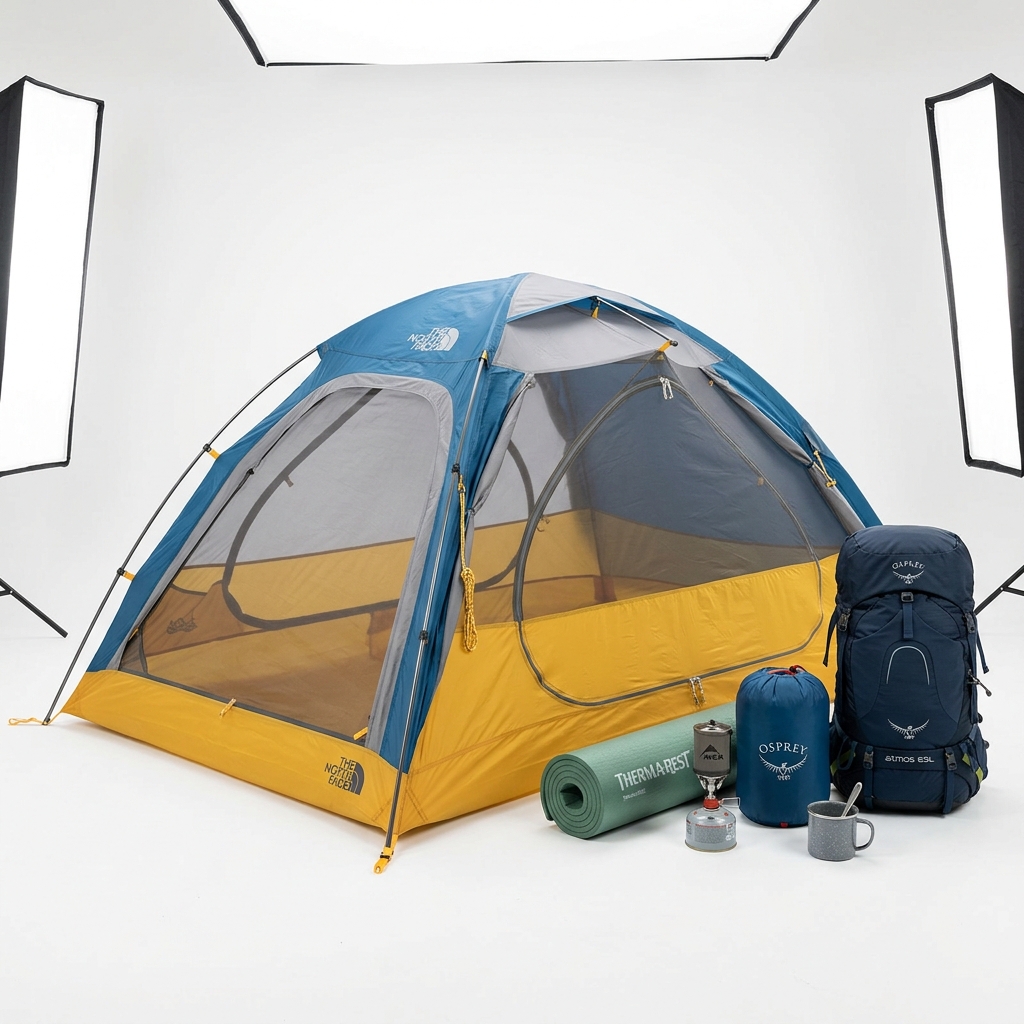
For the main photo, shoot the whole item front-facing on a white or plain light neutral background, cropped square to 1600 x 1600 px so it fills at least 70% of the thumbnail. Packs, stoves, lanterns, headlamps, cookware and water filters are easy on a white sweep. For tents, either lay out the packed tent with poles, stakes and fly on white, or pitch it in open shade against a plain light wall or garage door with nothing else in frame. Save the campsite shots for later in the gallery; lifestyle images should never be photo 1.
Color is the other big issue. Olive, coyote tan, ranger green and dark gray shift badly under indoor bulbs, and black stoves or packs turn into silhouettes. Shoot near a big window or outdoors in shade, set white balance, and expose for the fabric rather than the background. Edit for exposure and white balance only. Never add text like a temperature rating, capacity or weight to the image: photograph the actual sewn-in label or spec tag instead, and put the numbers in your description.
Finally, document everything that ships. Count the stakes and guylines, lay them out flat with space between them, and photograph the stuff sacks, repair kit and footprint if included. Camping buyers notice a missing stake bag immediately.
Example Images
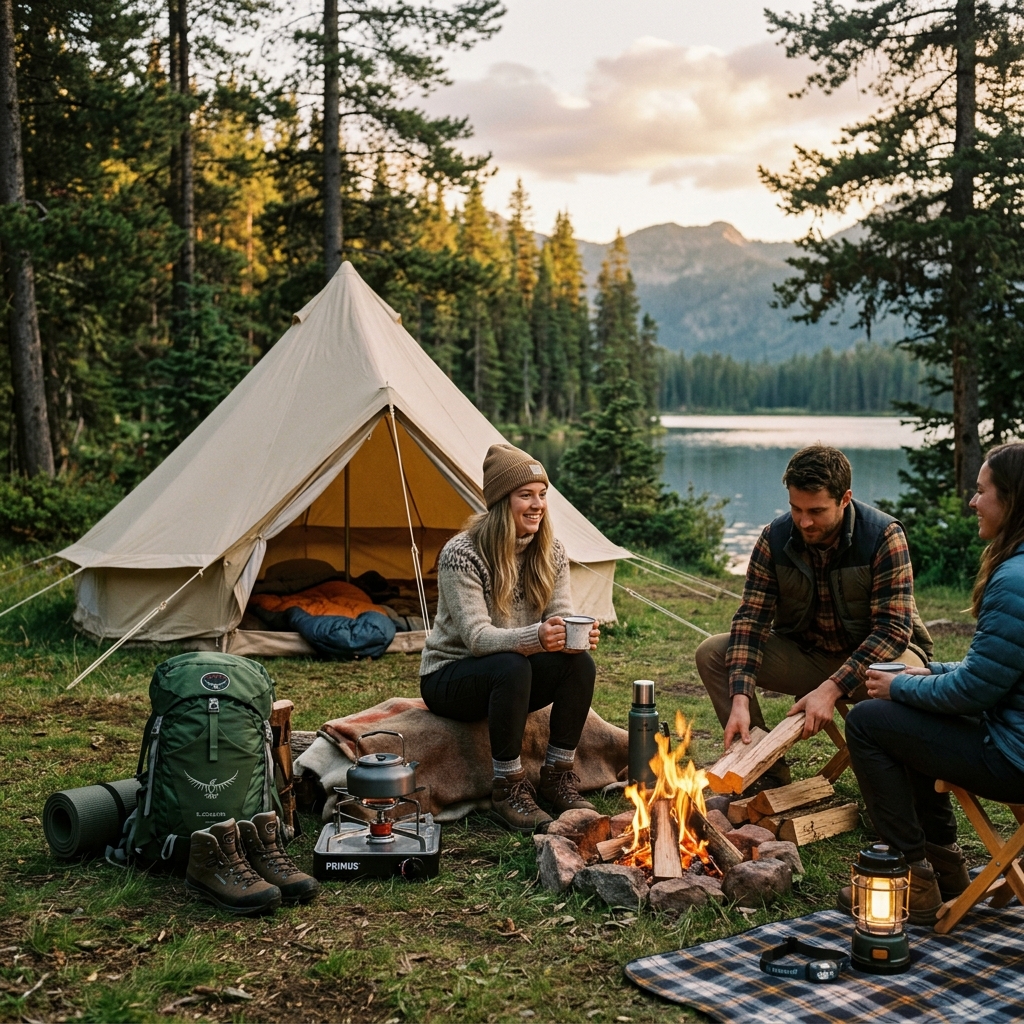
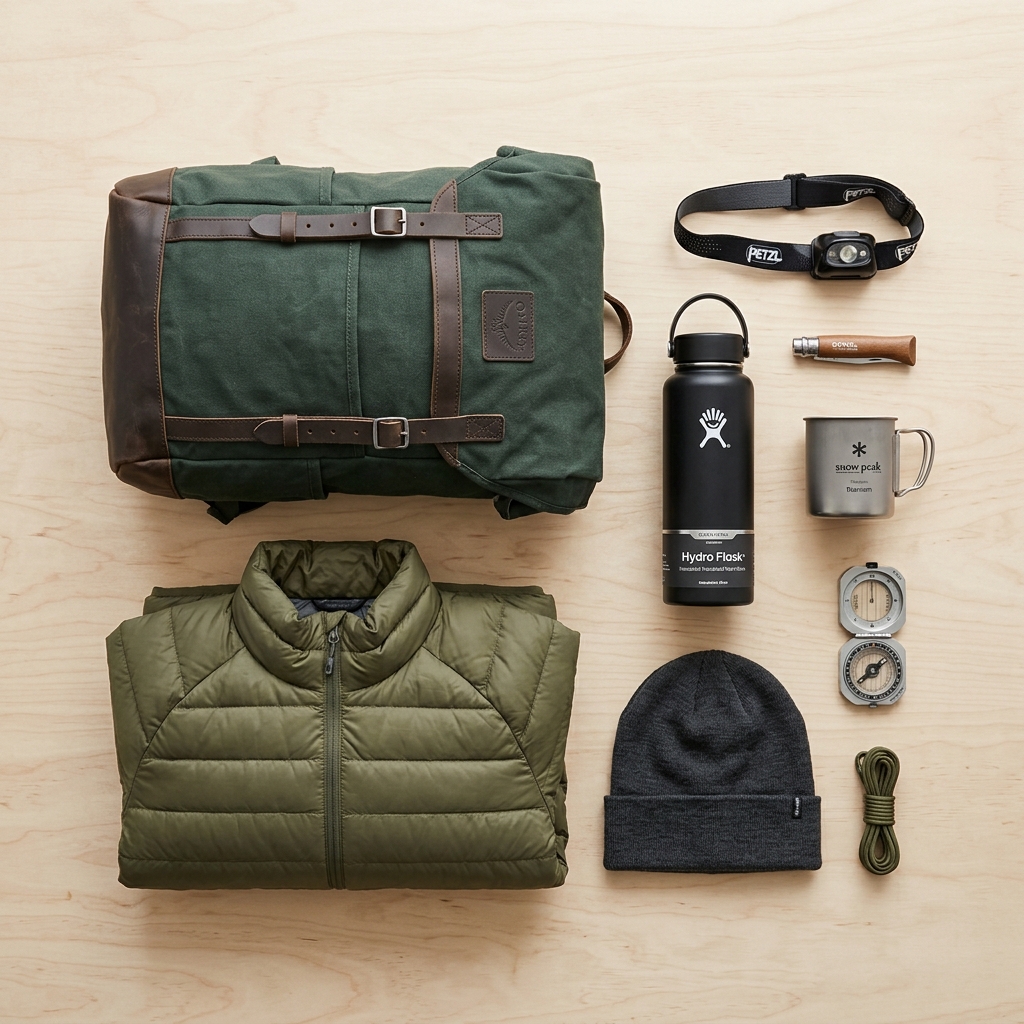
Common Mistakes
Using a pitched-at-camp photo with trees, chairs and a fire ring as the main image
Lifestyle shots are not allowed as the main photo, and a busy campsite makes the item look small in the square thumbnail and confuses buyers about what is included.
Make photo 1 the item alone on a plain light background, filling the frame. Move the campsite shot to a later slot and keep it uncluttered.
Showing trekking poles, a camp stove or a sleeping bag in a tent photo without saying they aren't included
Buyers assume anything visible ships with the item, which leads to 'missing parts' cases. This is common with trekking-pole tents, which won't stand up without poles.
Either shoot without props or state clearly in the description which items in the photos are not included. Add a separate What's Included flat-lay of exactly what ships.
Skipping close-ups of the failure points on used gear
Camping buyers know where gear dies: delaminating seam tape, cracked pole sections, worn zipper sliders, sticky PU coatings, burned or clogged stove jets, hydrolyzed pad valves. If you don't show them, they assume the worst or open a 'not as described' case.
Shoot sharp 1600 px close-ups of seams, pole ferrules, zipper teeth, buckles, valves and burner heads with angled light. Point to any flaw with a finger or pen tip in the shot, never with drawn arrows or circles.
Shooting earth-tone gear under yellow kitchen lights
Olive turns brown, tan turns orange, and gray looks green. Color mismatch is a top return reason, and in variation listings it makes the color options look wrong when the photo swaps.
Use daylight from a window or open shade, set white balance off a white card, and shoot every color variation with the same setup and background as the main image.
Typing specs like '20°F', '2-person' or packed dimensions onto the photo
Added text and callouts violate eBay's picture policy and can get the listing blocked.
Photograph the sewn-in temperature rating label or spec tag so it's legible, and lay a real tape measure along the packed tent or rolled pad for size. Put the specs in the description.
Only photographing an inflatable pad or air mattress deflated
A rolled pad tells the buyer nothing about leaks, baffle failures or bubbles, which are the main reasons used pads get returned.
Inflate it fully, shoot it flat on a plain background from above and at an angle, and add close-ups of the valve and any baffle seams. Note in the description how long it held air.
Frequently Asked Questions
What happens if you using a pitched-at-camp photo with trees, chairs and a fire ring as the main image?
Lifestyle shots are not allowed as the main photo, and a busy campsite makes the item look small in the square thumbnail and confuses buyers about what is included. Make photo 1 the item alone on a plain light background, filling the frame. Move the campsite shot to a later slot and keep it uncluttered.
What happens if you showing trekking poles, a camp stove or a sleeping bag in a tent photo without saying they aren't included?
Buyers assume anything visible ships with the item, which leads to 'missing parts' cases. This is common with trekking-pole tents, which won't stand up without poles. Either shoot without props or state clearly in the description which items in the photos are not included. Add a separate What's Included flat-lay of exactly what ships.
What happens if you skipping close-ups of the failure points on used gear?
Camping buyers know where gear dies: delaminating seam tape, cracked pole sections, worn zipper sliders, sticky PU coatings, burned or clogged stove jets, hydrolyzed pad valves. If you don't show them, they assume the worst or open a 'not as described' case. Shoot sharp 1600 px close-ups of seams, pole ferrules, zipper teeth, buckles, valves and burner heads with angled light. Point to any flaw with a finger or pen tip in the shot, never with drawn arrows or circles.
What happens if you shooting earth-tone gear under yellow kitchen lights?
Olive turns brown, tan turns orange, and gray looks green. Color mismatch is a top return reason, and in variation listings it makes the color options look wrong when the photo swaps. Use daylight from a window or open shade, set white balance off a white card, and shoot every color variation with the same setup and background as the main image.
What happens if you typing specs like '20°F', '2-person' or packed dimensions onto the photo?
Added text and callouts violate eBay's picture policy and can get the listing blocked. Photograph the sewn-in temperature rating label or spec tag so it's legible, and lay a real tape measure along the packed tent or rolled pad for size. Put the specs in the description.
What happens if you only photographing an inflatable pad or air mattress deflated?
A rolled pad tells the buyer nothing about leaks, baffle failures or bubbles, which are the main reasons used pads get returned. Inflate it fully, shoot it flat on a plain background from above and at an angle, and add close-ups of the valve and any baffle seams. Note in the description how long it held air.
Skip the trial and error
Get eBay-ready Outdoor & Camping photos without the guesswork
Upload one product photo. ProductScene generates a complete eBay gallery — every image slot, correctly sized, styled for the platform.
Try free